
Ground Loop Hum: How to Find It and How to Fix It
A ground loop is a closed circuit formed when two devices share more than one ground path, usually a mains earth at each end plus the shield of the interconnect between them. Any voltage difference between those earth points drives current around that loop, and the interconnect reads part of it as signal, which arrives as hum at the mains frequency.
- By Jakub Charkiewicz
- Published
- 4 min read
Glossary definition
- Ground Loop
- An unwanted current path through the ground conductor between two devices, creating a 50/60Hz hum that's audible through the audio chain. Cured by galvanic isolation, ground lifts (carefully), or routing every device through a single grounded point.
The mechanism
Earth is not a single equipotential point. Two wall sockets in the same room can sit at slightly different potentials, because the earth conductors run different distances back to the same bar and because other appliances are pushing current through them.
Connect a source and an amplifier that are each earthed at their own socket, then join them with an unbalanced interconnect. The cable's ground conductor now bridges the two earth points, and that closed path is the loop. A small potential difference across a very low resistance is enough to drive a substantial current around it, and that current develops a voltage along the interconnect's ground conductor. The receiving input has no way to distinguish that voltage from music, because in an unbalanced connection the signal is measured against exactly that conductor.
The loop also has physical area, so mains-frequency magnetic fields passing through it induce current directly. This is why routing matters and why a cable draped over a power supply behaves differently from one that is not.
Reading the sound
The character of the noise is a useful clue before you touch anything.
A smooth, low tone at the mains frequency, 50 Hz in most of the world and 60 Hz in North America, points at magnetic induction or a straightforward potential difference.
A harder, buzzier noise with obvious harmonics above the fundamental points at current being drawn in short spikes rather than smoothly, which is what rectifiers and switch-mode supplies do. Anything with a wall-wart on the same circuit is a candidate, and so is a modern television.
A hum that appears only when a particular input is selected localises itself, and a hum that is present with nothing connected at all is not a loop.
Finding it in five steps
Work down this list. Each step isolates one part of the chain, and the first that silences the noise identifies where it lives.
- Pull the interconnect out of the amplifier's input, leaving everything else as it is. If the hum stops, the problem is in the loop between the two devices. If it continues, the amplifier, its own supply or the speakers are the cause and nothing downstream of this point matters.
- Disconnect anything that carries an outside earth into the system: a cable television feed, a roof antenna, a wired network connection, a turntable ground wire. These are the most common hidden third path, and a coaxial television feed in particular can be at a meaningfully different potential from your mains earth.
- Move every audio device onto one outlet or one power strip. This is not about filtering, it is about giving them all the same earth reference, and on its own it resolves a large share of cases.
- Run the source from battery if you can, with a laptop or a portable player. Silence here confirms that the mains path is involved rather than the signal cable or the input stage.
- Reposition before you buy anything. Move interconnects away from power cables and transformers, cross them at right angles where they must meet, and shorten the loop area.
Fixes that actually work
Give the system one earth reference by feeding it from a single point. Everything else being equal, one outlet for the audio system removes the potential difference the loop depends on.
Break the signal path galvanically where the loop crosses it. A transformer-coupled isolator on the offending interconnect passes audio and blocks the ground connection. A USB isolator does the same job between a computer and a converter, which is the modern version of this problem and the most common one in a desktop system. An optical connection carries no conductor at all, so a coaxial digital run replaced with an optical one cannot form a loop, and the same is true of a fibre link in a network chain.
Use balanced connections where both ends offer them. A balanced input reads the difference between two conductors and ignores what they share, and loop current rides the shield rather than the signal return, which is the whole reason the interface exists.
The one thing never to do
Do not remove, clip or defeat the mains earth pin on any device, and do not use an adaptor that does it for you. The earth conductor is what carries fault current safely to ground if live ever reaches a chassis, and without it the first fault leaves the metalwork you touch at mains potential. It will often silence a hum, which is exactly what makes it dangerous advice: it works, and it removes the protection that was there for the one day it is needed. Break the loop in the signal path instead, where breaking it costs nothing.
When it is not a ground loop
If the noise is unchanged with every interconnect removed and only the speaker cables attached, look at the amplifier itself: a failing power supply capacitor, or in a valve design an ageing tube, both produce mains-related hum that has nothing to do with how the system is wired.
If it rises and falls as you move a cable or rotate a component, it is induced pickup rather than a loop, and the answer is distance and orientation.
If it is a fizz or a whine rather than a hum, and it changes when a phone or a charger comes near, it is interference reaching the analogue stage, and isolation or a different route will do more than any earthing change.
Reviewed gear that shows this
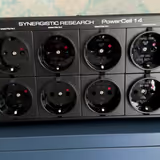
4 reviews in the catalogue. Every score is anchored to the same published reference list.

Put it to use
Keep reading
Glossary
Room Mode
A standing wave resonance at a frequency determined by room dimensions; axial modes (one dimension) are the strongest and most audible.
Full explanation
Glossary
Balanced
A signal transmission method using two opposite-polarity signal lines plus a ground; noise induced on both lines is cancelled at the differential input.
Full explanation