
What is a noise floor, and why do some headphones hiss?
A noise floor is the sound a component makes with no music playing, mostly a faint hiss from its own circuits. Whether you hear it depends on the headphone as much as on the amplifier: noise leaves the amp as a voltage, and a sensitive in-ear turns that voltage into far more sound than a full-size headphone does. For hiss, output noise in microvolts predicts more than an SNR rating.
- By Jakub Charkiewicz
- Published
- Updated
- 5 min read
Glossary definition
- Noise Floor
- The residual noise a component makes with no signal playing: hiss from the output stage, hum from the supply. It sets the quietest detail you can actually hear, and sensitive IEMs will expose a noise floor that full-size headphones hide completely.
What a noise floor is made of
Every electronic part adds a little noise of its own. A resistor produces a random voltage from the thermal motion of its electrons, and a single 1,000-ohm resistor at room temperature makes about 0.6 microvolts of it across the audio band. Transistors and op-amps add more, and a power supply can leak ripple linked to the mains frequency. Measure a component's output with nothing playing, and everything you find there adds up to its noise floor.
In a well-made component that floor is mostly hiss: random, steady, with its energy spread across every frequency. Hum is a different noise, a low tone at 50 or 60 Hz or a buzz built on it, and it often comes from the way devices are grounded, which the ground loop explainer deals with. A digital file carries a floor of its own too, fixed by its bit depth.
From microvolts to hiss at your ear
Noise leaves an amplifier as a voltage, and the headphone decides how loud that voltage sounds. A sensitivity figure in dB/V says how much sound pressure a headphone makes from 1 volt, so the arithmetic is one subtraction: the hiss level in dB SPL is roughly the sensitivity minus the number of decibels the noise sits below 1 volt. Converting a dB/mW figure first needs the impedance, and the sensitivity explainer shows how.
Take a headphone output with 5 microvolts of noise, 106 dB below 1 volt.
- The Simgot EM6L is an in-ear rated at 119 dB/V, so it plays that noise at about 13 dB SPL.
- The HIFIMAN Sundara is a full-size planar rated at 92 dB/mW and 32 ohms, about 107 dB/V, and it plays the same noise at about 1 dB SPL.
For scale, 0 dB SPL is roughly the faintest sound a young ear can pick up at mid frequencies. So one amplifier with one noise figure puts 12 dB more hiss into the in-ear, and the in-ear also seals out the room noise that would otherwise cover it. That combination is why hiss is so much more often an in-ear complaint. The numbers are estimates, since sensitivity is usually measured with a single tone and hiss is spread across the band, but the gap between two headphones is a fair guide.
Signal-to-noise ratio and output noise
Signal-to-noise ratio, or SNR, is the gap in decibels between a reference output and the noise with nothing playing. The reference is usually the component's full or rated output, sometimes a stated level such as 2 Vrms. Many figures are A-weighted, which discounts the low and very high frequencies where hearing is less sensitive, so they usually read better than an unweighted measurement of the same unit.
Measured from full output, SNR describes how much range a component has. Hiss depends on the noise voltage itself, and a high maximum output can carry a higher noise voltage behind a better ratio. Here are two sources, both feeding the EM6L:
| Source | Maximum output | SNR | Noise | Hiss in the EM6L |
|---|---|---|---|---|
| Desktop amplifier | 8 Vrms | 120 dB | about 8 µV | about 17 dB SPL |
| Dongle | 2 Vrms | 110 dB | about 6.3 µV | about 15 dB SPL |
The amplifier rated 10 dB better hisses 2 dB louder, because its ratio starts from an output four times higher. When a spec sheet gives the reference level, you can work out the noise yourself by subtracting the SNR from that level in dBV. Output noise stated in microvolts answers the question directly, and far fewer makers publish it.
Cutting hiss in a system you already own
Check the problem first. With the headphone you'll use, set the volume where you would listen to a normal track, stop the music and listen to the silence. Compare two sources at the same listening level, since a volume knob's position means nothing from one device to the next.
- Use the lowest gain setting that reaches your loudest listening level. On many amplifiers the volume control sits ahead of the gain stage, so turning down leaves that stage's own noise where it was, as the gain explainer describes.
- Turn down in the analog domain where you can. A cut in software lowers the music and leaves the analog floor untouched, and the bit depth calculator shows how far a given cut closes the gap between them.
- Try an in-line attenuator on a sensitive in-ear. It lowers the signal and the noise together before they reach the earpiece. A plain series resistor also raises the output impedance the in-ear sees, which shifts the tuning of multi-armature designs, so the better adapters add a second resistor across the output to keep it low.
- Choose a quieter source. A sensitive in-ear asks for so little voltage that the source's noise figure is the one to compare, and the headphone amplifier guide ranks the amps reviewed here.
Self-noise in microphones
A microphone's noise floor is quoted as self-noise: the sound level that would give the same output as the microphone's own circuit noise, usually A-weighted and written dB(A). The Austrian Audio OC16 is rated at 14 dB(A) with a maximum of 148 dB SPL, a span of 134 dB, and its review works out that the loudest sound it takes carries about five million times the pressure of its own noise.
The same review points out that a computer fan, a fridge or the air conditioning will mask that self-noise completely. The figure matters most for quiet sources in a quiet room, where a noisier microphone's hiss can rise above the room's own.
What reviews mean by a black background
Reviews on this site often praise a black or dead-silent background, and the phrase can point at different things. The review of the HIFIMAN Arya Unveiled hears a dead-silent background and credits the missing grille: with nothing to reflect sound back at the ear, notes appear and vanish without the micro-reverb the reviewer hears on closed and semi-open headphones. That is an acoustic trait of the headphone, and no amplifier's noise figure would show it.
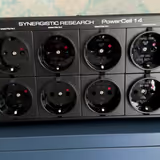
Several power accessories reviewed here are credited with a lower noise floor or a darker background, and the Monosaudio AS-EU08 + SP-USB review lists a lower noise floor among its strengths. The review of the Synergistic Research PowerCell 14 says the change isn't silence you could measure with a meter; it hears soft reverbs and decays become easier to follow. In a review, the phrase describes what the reviewer heard through a whole system. To judge whether one component will hiss into your headphones, use its noise figures and the arithmetic above.
Reviewed gear that shows this
5 reviews in the catalogue. Each score is set against its own category's reference.

What our reviews say about noise floor
12 reviews raise it in their pros and cons: 10 lines credit it and 2 fault it. 6 are shown, each quoted as its review states it.
- Strength:
Dead-silent noise floor (THD 0.0015%, SNR 110dB)
- HIFIMAN Serenade, 9.3/10 - Flaw:
Self-noise of 16dB is good but not pro-grade quiet
- t.bone SCT 2000, 8.1/10 - Strength:
Holographic imaging with dead-silent background
- HIFIMAN Arya Unveiled, 9.1/10 - Flaw:
Hiss possible with cheap amps (high sensitivity)
- Kiwi Ears Orchestra Lite, 8.0/10 - Strength:
0.00045% THD, 122dB SNR - whisper-quiet background
- Denafrips Hades 12th, 9.0/10 - Strength:
Dead silent noise floor, with the converter's power filtered from 10 Hz to a gigahertz
- Henry Audio DA 256, 8.2/10
Put it to use
Calculator
Does digital volume hurt quality?
Bit Depth Calculator: Digital Volume Loss
Buying guide
Best Headphone Amplifiers
Every headphone amplifier on this list is a HIFIMAN desktop DAC/amp, a headphone amp with an R2R DAC built in, priced from $299 to $999.
4 ranked picks, led by the HIFIMAN Serenade
Sources and further reading
- IEC 60268-3: Amplifiers
Standard International Electrotechnical Commission Paid full text
The IEC amplifier standard, setting which characteristics are specified, signal-to-noise ratio among them, and how each is measured.
- Stanford CCRMA (Kadis): Digital audio systems
Lecture notes Stanford University PDF
Stanford lecture notes describing analog circuit noise as thermal white noise heard as hiss, and digital quantization noise as correlated with the signal.
- Wikipedia: Noise floor
Encyclopedia Wikipedia
Keep reading
Gain
The multiplication factor applied to a signal by an amplifier, expressed in dB; proper gain staging is critical for minimizing noise.
Sensitivity
The output sound pressure level for a standardized input: dBSPL at 1W/1m for speakers, or dBSPL at 1mW or 1V for headphones.
Bit Depth
The number of bits per sample, which determines dynamic range (approximately 6dB per bit, so 16-bit gives ~96dB, 24-bit gives ~144dB).