
FIFINE K688 Review: A $69 XLR and USB Broadcast Mic
A dynamic broadcast microphone with both XLR and USB-C outputs, so the audio interface is already inside it: cardioid rejection, 130 dB max SPL, on-body gain and mute.
above nine of the 69 other reviews in the catalogue
Value Excellent. It is one of the best-value pieces we have scored.
- Standout
- XLR and USB-C outputs
- Watch out for
- Frequency response stops at 50 Hz and 16 kHz
Named Best Value in our Best Microphones guide.
Most microphones make you buy a second box before they will talk to a computer. The FIFINE K688, which the maker sells as the AmpliTank, does not. It has an XLR output for a mixer or an interface, and it has a USB-C output that bypasses both, because there is an audio interface built into the body of the microphone. An interface is the piece of equipment that turns an analog signal into the ones and zeros a computer can read, and those can be expensive: the chain I record on is a $1,300 microphone into a $2,300 interface, so $3,600 of equipment the K688 is asking you to skip. If you are starting a YouTube channel, streaming, gaming, or recording music on a tight budget, that is a serious proposition. So I ran all three signal paths side by side and let the audio decide.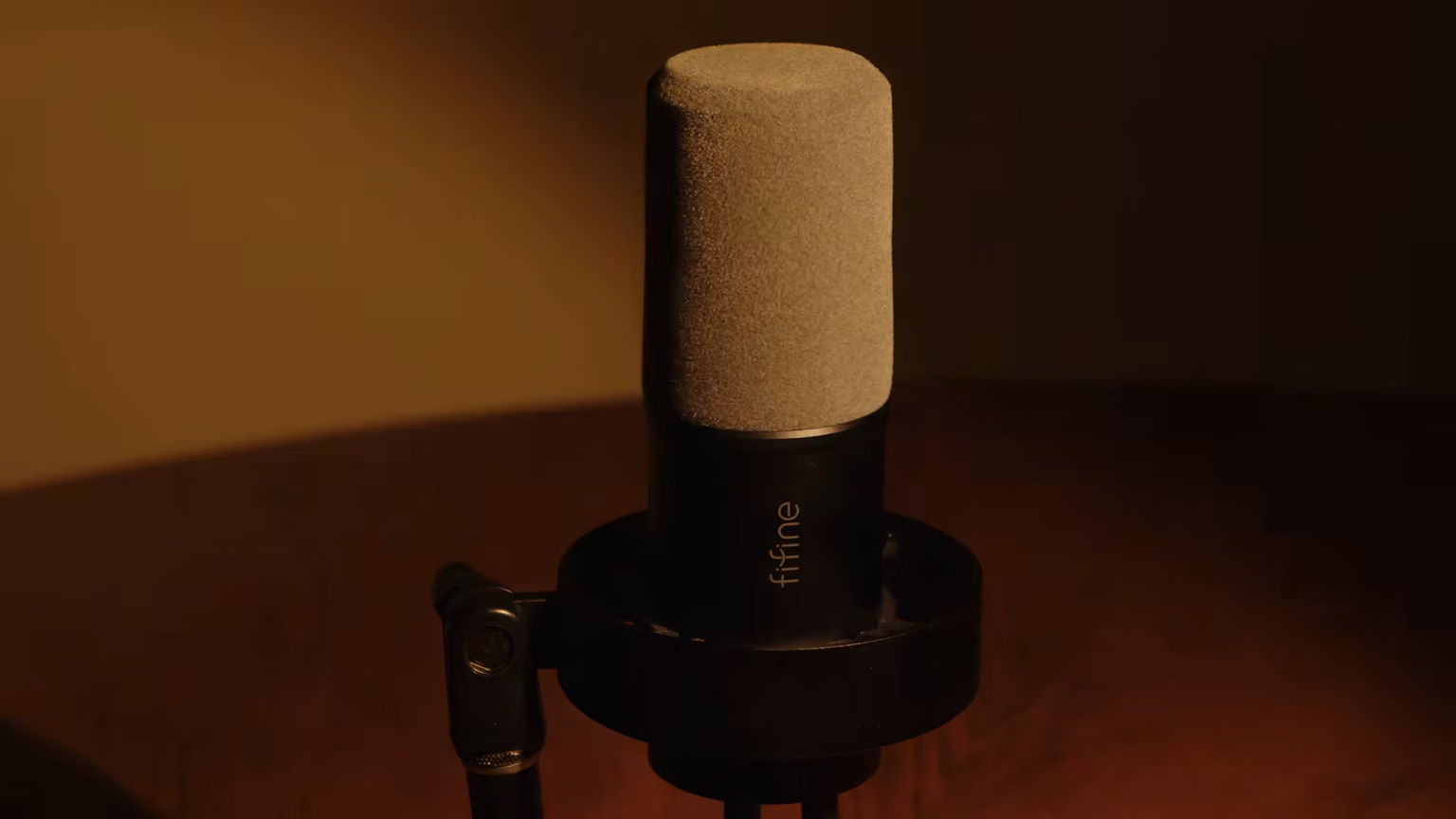 (view larger)
A solid metal build that looks good on camera
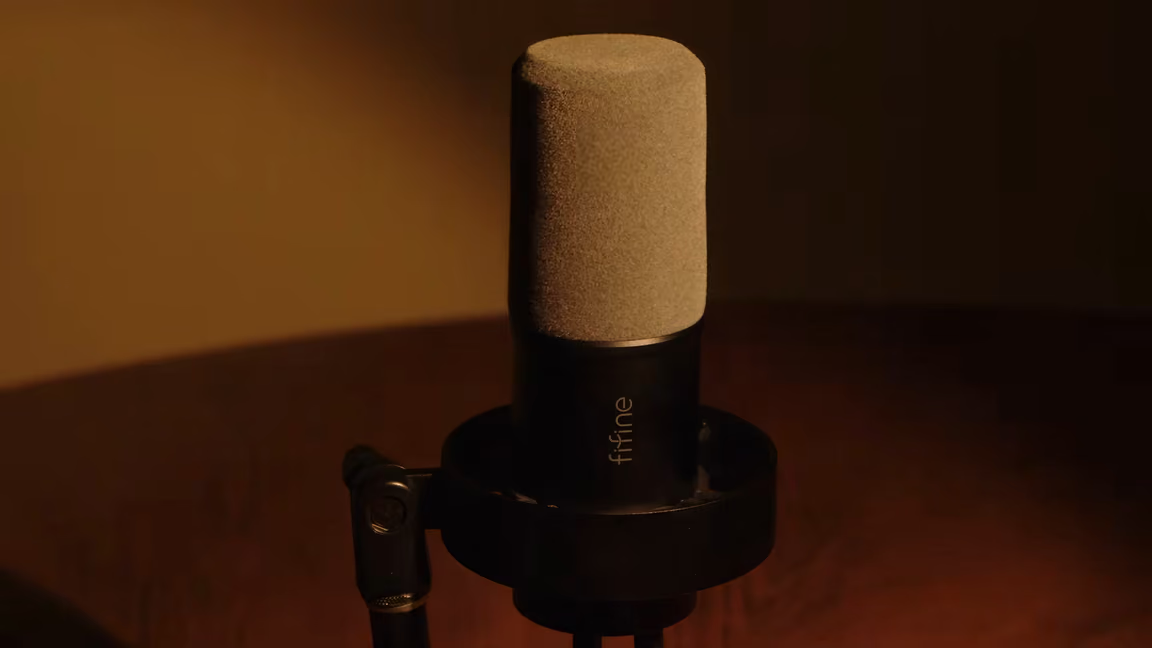
The microphone arrives with an effective windscreen and a mount that keeps desk knocks out of the capsule. The construction is really well done. There is metal, very solid metal, at the parts that need it, and there is not much plastic anywhere. For the price it is impressive, and it looks professional on camera. It looks, honestly, pretty much like a Shure SM7B, the mic that half of YouTube records on, except you get this shape for a fraction of the price.
It also ships with an adapter to fit the mic to a stand whether the thread is 5/8 inch or 3/8 inch, so it drops onto a boom arm without a trip to a music shop.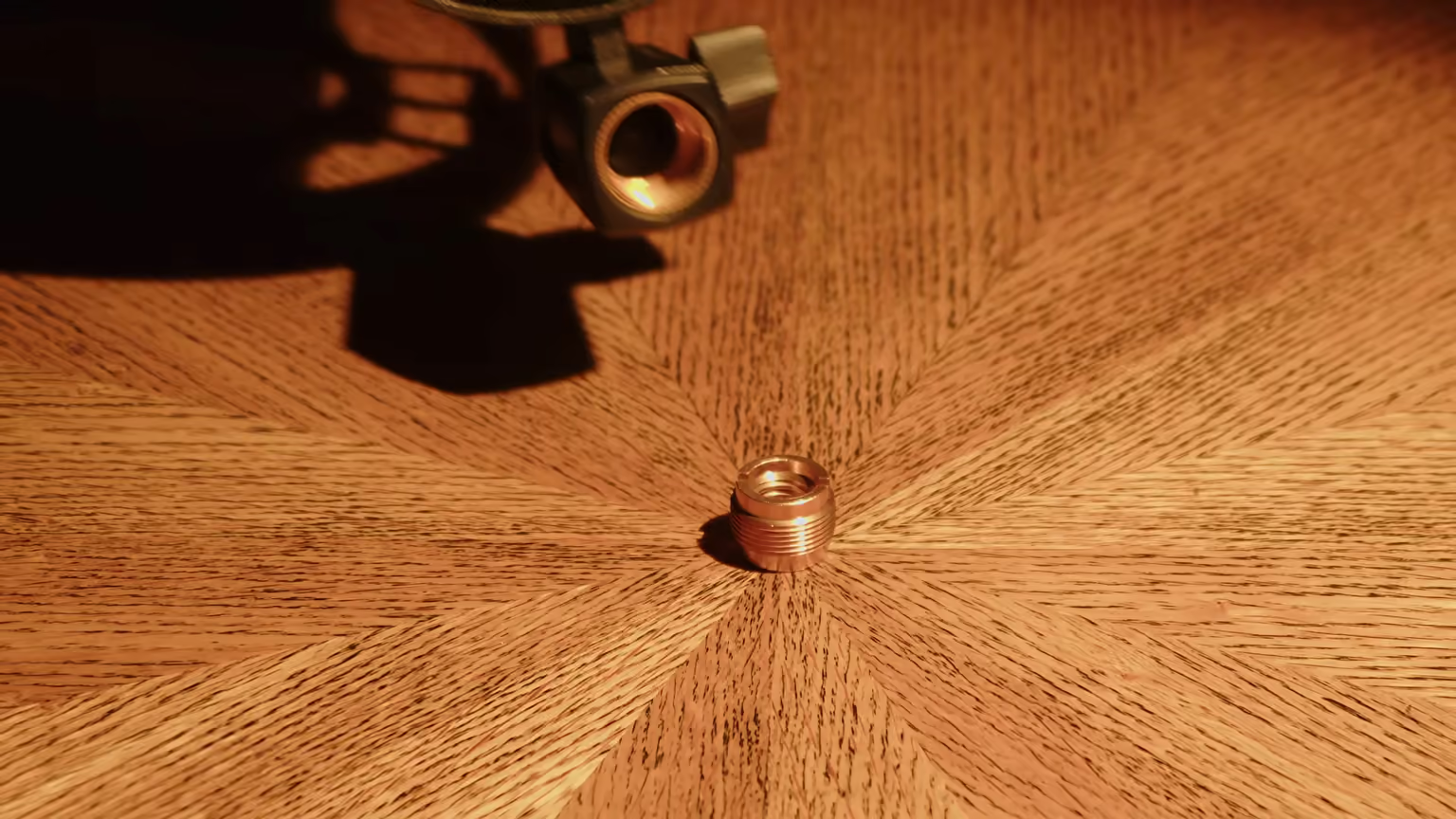 (view larger)
It also comes in more than one finish, and when you are shooting a podcast the visual matters as much as the audio. There are three colors: black, white and pink.
USB-C and XLR outputs on one microphone
The USB option is a fantastic addition, because you do not need to invest in an audio interface and you do not need to wrestle with the technical difficulties that owning one brings. You plug in a USB-C cable, and the one in the box works really well. It is long enough, and it comes with an adapter that converts the USB-C end to USB-A if your computer has no USB-C port.
The XLR output is still there for anyone who already owns a mixer or an interface and wants to keep using it. Both paths run off the same capsule, so the choice is not really about the microphone. It is about which converter you put in front of it: the one FIFINE built in, or the one already sitting on your desk.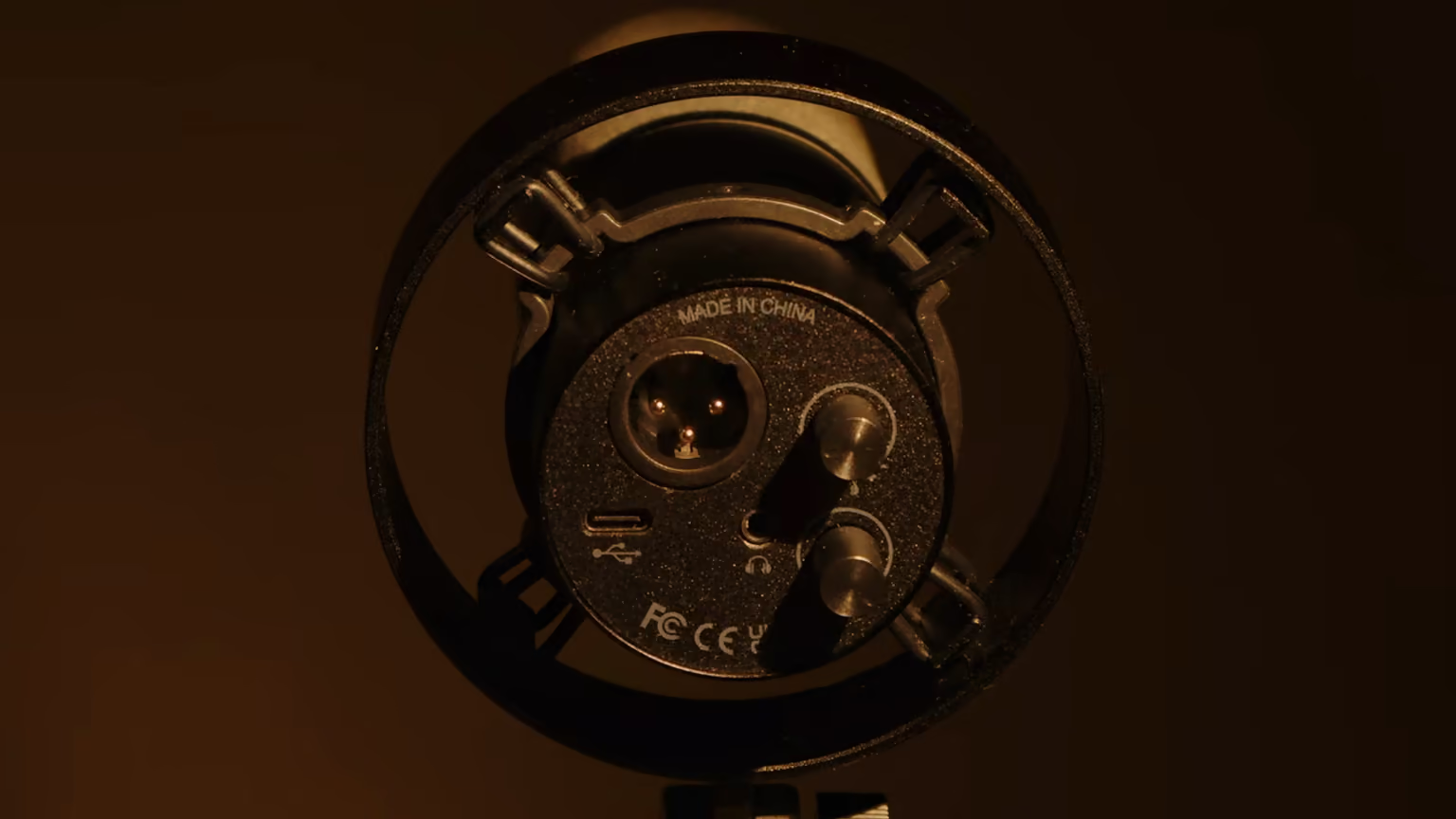 (view larger)
On-body gain, monitoring and mute controls
Running over USB you get two wheels on the body. One is gain for the microphone, the other is level for your headphones, which plug straight into the mic. That means a single microphone handles pretty much all of your audio needs, and it is genuinely easy to use. No driver, no control panel, no menu to dig through mid-stream.
There is also a mute button on the microphone, which is the feature podcasters will care about most. You do not need to reach over to the computer, and it is instinctive: if an ambient sound starts disturbing the recording you press it and the mic mutes, you press it again and you are back. The pad lights up to tell you which state you are in, green while the mic is live and red once you have muted it, which is exactly the reassurance you want mid-take.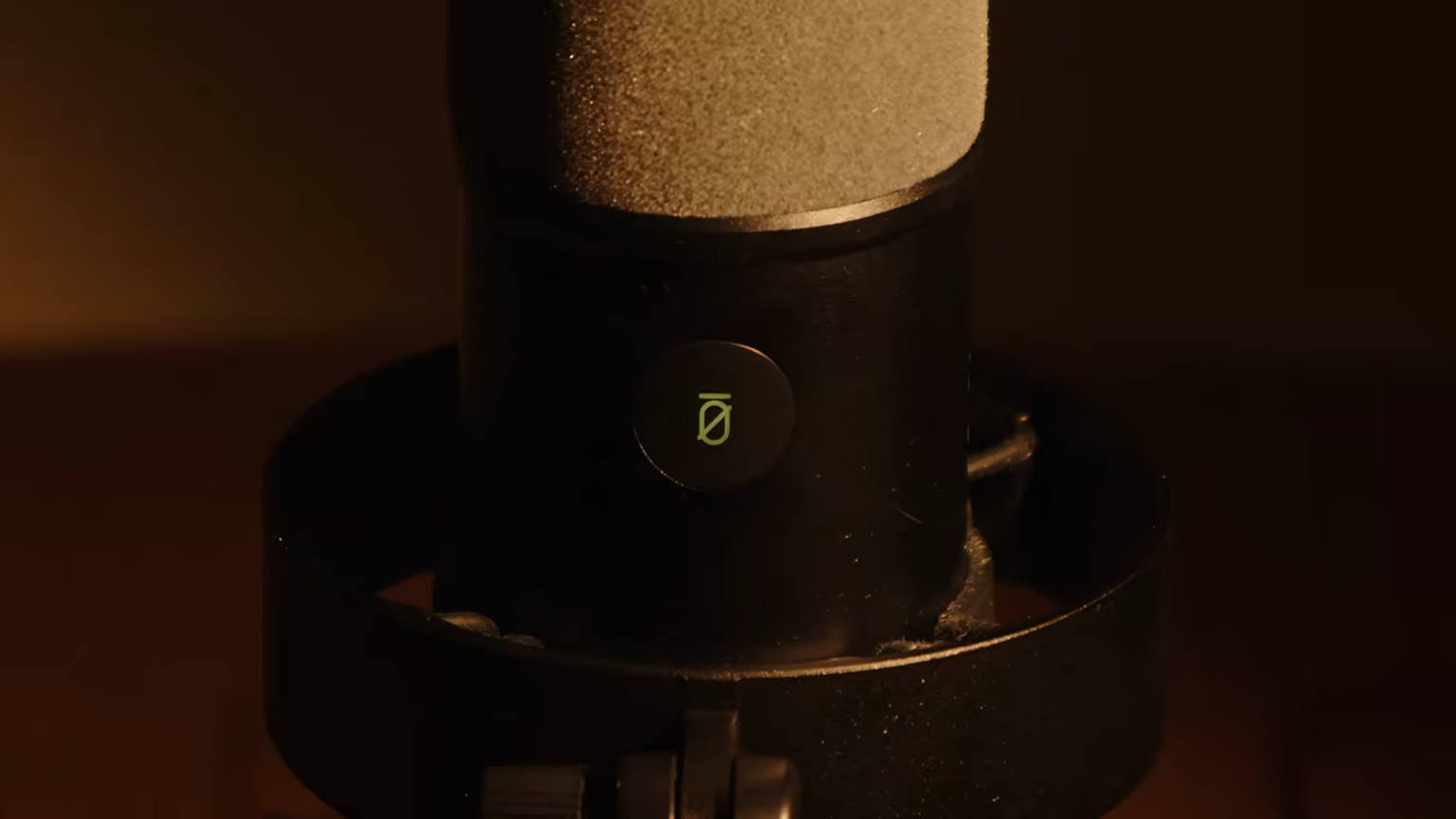 (view larger)
It plugs into a games console as easily as into a computer, PC or Mac. It is a versatile microphone and it will talk to almost anything you own. One thing worth saying plainly: there is a 30 day guarantee, so if you are not satisfied you can send the product back.
Specs sized for speech, with 130 dB max SPL
The max SPL is 130 dB, which is what tells you how loud a source the microphone can take before it starts to break up. This one handles whispers as well as yelling, no problem, without any distortion, and that is a real advantage for anyone whose delivery moves around.
The frequency response starts at 50 Hz and goes up to 16 kHz, which means it handles a voice really well. It will not grab the sub-bass or the low bass, and it will not grab the very, very highest frequencies either, but for any voice need you are covered. Read that as a design decision rather than a shortcoming: the bandwidth is drawn around speech, which is also the reason it is the wrong tool for an acoustic guitar or a cymbal.
A dynamic capsule that keeps the room out
The FIFINE is a dynamic microphone, which means there is a moving coil inside it. Compared with a condenser or the other capsule types, a dynamic microphone grabs the sound that arrives directly at it. All of the ambient noise, a fridge humming, a fan spinning on your computer, gets suppressed, and that is a great advantage if you are recording podcasts and you do not want the room in the background of every take.
It suppresses what comes from behind the microphone. Basically only the zone in front of it gets captured, which is the cardioid pattern doing its job. The consequence is that you have to speak into the front of the microphone, on axis, rather than at it from an angle.
Close mic technique adds bass and intimacy
Distance changes the sound. Speaking from a foot away is a different microphone from six inches, and six inches is a different microphone again from three. The closer you get, the more bass and the more intimate it becomes. It stays natural wherever you sit, but the tone moves and so does the level, so pick a distance and hold it.
In a sound test, close to a $1,300 Neumann TLM 103
For the test I recorded the same voice three ways: the Neumann TLM 103 through the expensive interface, the FIFINE over XLR, and the FIFINE over USB. Then I ran bass, mids and highs, a sibilance line, and the same sentence at twelve, six and three inches. Overall the sound is pretty much similar, if you ask me. So is it worth putting $1,300 into a microphone right now, or is the FIFINE fine for what you need?
To be honest, there are slight changes between the three options. The Neumann, paired with that interface, was a full sound, well balanced, pretty much transparent. Next to it the FIFINE over XLR was a little leaner. There was less bass and less mids, so it read as open, and some of that is on me: I was sitting about a foot back, and moving closer would have changed the bass response. But taken as it was recorded, the XLR path is a slightly leaner and thinner sound.
The USB path was the surprise. It came out more full-bodied, with more bass and a little more mids, more substance. That comes from the interface built into the microphone, which probably has some EQ inside it compensating and helping the signal along. If you expected the XLR output to be the serious one and USB to be the compromise, here it is the other way round.
Whether you record music decides the verdict
For a lot of people, yes. It may be entirely worth skipping the cost of an audio interface and the cost of an expensive microphone and going straight into your computer over USB, because you get a very decent and pleasant sound the moment you plug it in. That is the whole argument for this product, and the recording backs it up.
What holds the score where it is rather than higher is the ceiling. The bandwidth is drawn for speech, the XLR path is the weaker of its own two outputs, and the conversion is soldered in, so the upgrade path is to buy a different microphone. None of that matters if you are podcasting, streaming or gaming. All of it matters if you are recording music, or if you expect to grow into a proper front end later.
So unless you have a very particular professional use, the FIFINE is fine, in my opinion. You now have what you need to make that call yourself.
Sound signature
Derived from the words this review uses: each axis runs between two opposite descriptors, and the shape leans toward whichever side the writing does.
- Warm ↔ Bright Neutral, no clear signal in the review language
- Relaxed ↔ Analytical Neutral, no clear signal in the review language
- Polite ↔ Aggressive Neutral, no clear signal in the review language
- Lean ↔ Bass-heavy Neutral, no clear signal in the review language
- Intimate ↔ Wide stage Neutral, no clear signal in the review language
Not sure which signature suits you? Find yours with a blind A/B test
Watch the video review
Subscribe on YouTube (opens in new tab)Prefer to read? The written review above covers everything in the video.
Common questions about the K688
Is the FIFINE K688 worth $68.99?
For podcasts, streaming and gaming, yes. The K688 scored 7.2/10, Recommended, and rates excellent on value: $68.99 buys a metal dynamic mic with its own USB-C interface, gain and headphone wheels and a mute pad, so there's no second box to buy. What holds it back is its ceiling. The range is drawn for speech, the XLR output is the weaker of the two, and the built-in converter can't be upgraded.
How close is the K688 to a Neumann TLM 103?
Closer than the price gap suggests. The same voice was recorded through a $1,300 Neumann TLM 103 into a $2,300 interface, then through the K688 over XLR and over USB, and overall the three sounded much alike. The Neumann sounded full, well balanced and close to transparent. The K688 was leaner over XLR and fuller over USB. Unless you have a specific professional need, the K688 is enough.
Who is the K688 best for?
Podcasters, streamers, gamers and new YouTube channels that want one USB-C cable between mic and computer. With 130 dB of max SPL it takes whispers and shouting without distorting. Musicians should look elsewhere, because its 50 Hz to 16 kHz range makes it the wrong tool for acoustic guitar or cymbals. The converter is built in too, so moving up later means buying a different mic.
Does the K688 sound better over USB or XLR?
USB came out ahead in testing. Both outputs share one capsule, so the difference lies in the converter. Recorded side by side, the XLR path was leaner and thinner, with less bass and midrange, while USB sounded fuller with more substance, probably because the built-in interface adds some EQ. The test was recorded about a foot from the mic, and moving closer would have changed the bass response.
Do you need an audio interface for the K688?
No. Over USB-C the interface is inside the mic, so it plugs straight into a PC or Mac with no driver, control panel or menu, and headphones plug into the mic for monitoring. The XLR output stays available for a mixer or interface you already own. A USB-C cable and a USB-A adapter come in the box, but there's no XLR cable, which FIFINE sells as a separate bundle.
Does the K688 pick up keyboard and fan noise?
Much less than a condenser. It's a dynamic mic with a moving coil, so it favors sound arriving straight at it and suppresses a humming fridge, a computer fan, a keyboard and room reflections, while the cardioid pattern rejects what comes from behind. That depends on technique: speak into the front, on axis, and hold one distance, since getting closer adds bass and intimacy.
Will the K688 work with a PS5 or Xbox?
On a PS5 it works over USB. On an Xbox it won't, because Xbox blocks third-party USB audio. It plugs into a PC or Mac just as easily, and there's a 30 day guarantee if it turns out not to suit you.
Sources
- IEC 60268-4: Microphones
Standard · International Electrotechnical Commission · Paid full text
How a microphone's sensitivity, self-noise, dynamic range and directional pattern are measured and specified - the figures the recording-gear reviews quote.
- Stanford CCRMA: Feedforward comb filters
Reference · Stanford University
How a delayed reflection added to the direct sound cuts evenly spaced notches into the response: comb filtering.
- Stanford CCRMA: Decibels
Reference · Stanford University
Decibels, the scale that gain, headroom and levels are stated in.
Discussed in USB-C and XLR outputs on one microphone
If you're interested in this
All 4 microphone and recording reviewsClosest alternatives
- Yellowtec PUC2 Mic LEA $750 more, scores 1.4 higher 8.6