
Yellowtec PUC2 Mic LEA Review: An Audio Interface With LEA
A €769 audio interface from Germany with proprietary LEA leveling technology - automatic perfect mic levels, zero-latency monitoring, and a slightly warm, transparent sound.
higher than 71% of everything we have tested
Value Steep. You are buying performance here, not value.
- Standout
- LEA technology
- Watch out for
- Premium price (€769) is significant
Is it for you?
- You want the balance to lean warm, with the top end eased
- You want every last bit of treble detail
- €769 has to buy value as well as performance
Pick #3 of 5 in our Best Audio Sources guide.
Audio interfaces are a mandatory element in all recording setups. Most of them do the same thing - amplify inputs, convert analog signals to digital, and the other way around. But the PUC2 Mic LEA from Yellowtec is entirely different, with features that can easily improve your microphone quality with no post-processing. All that, and some more, for €769.
Build Quality: All-Aluminum, Made in Germany
Everything is made of silver metal, likely aluminum. I couldn't find a single plastic part, besides the connector housings. And even they are mostly high-quality Neutrik ones. It's made in Germany after all, what did you expect?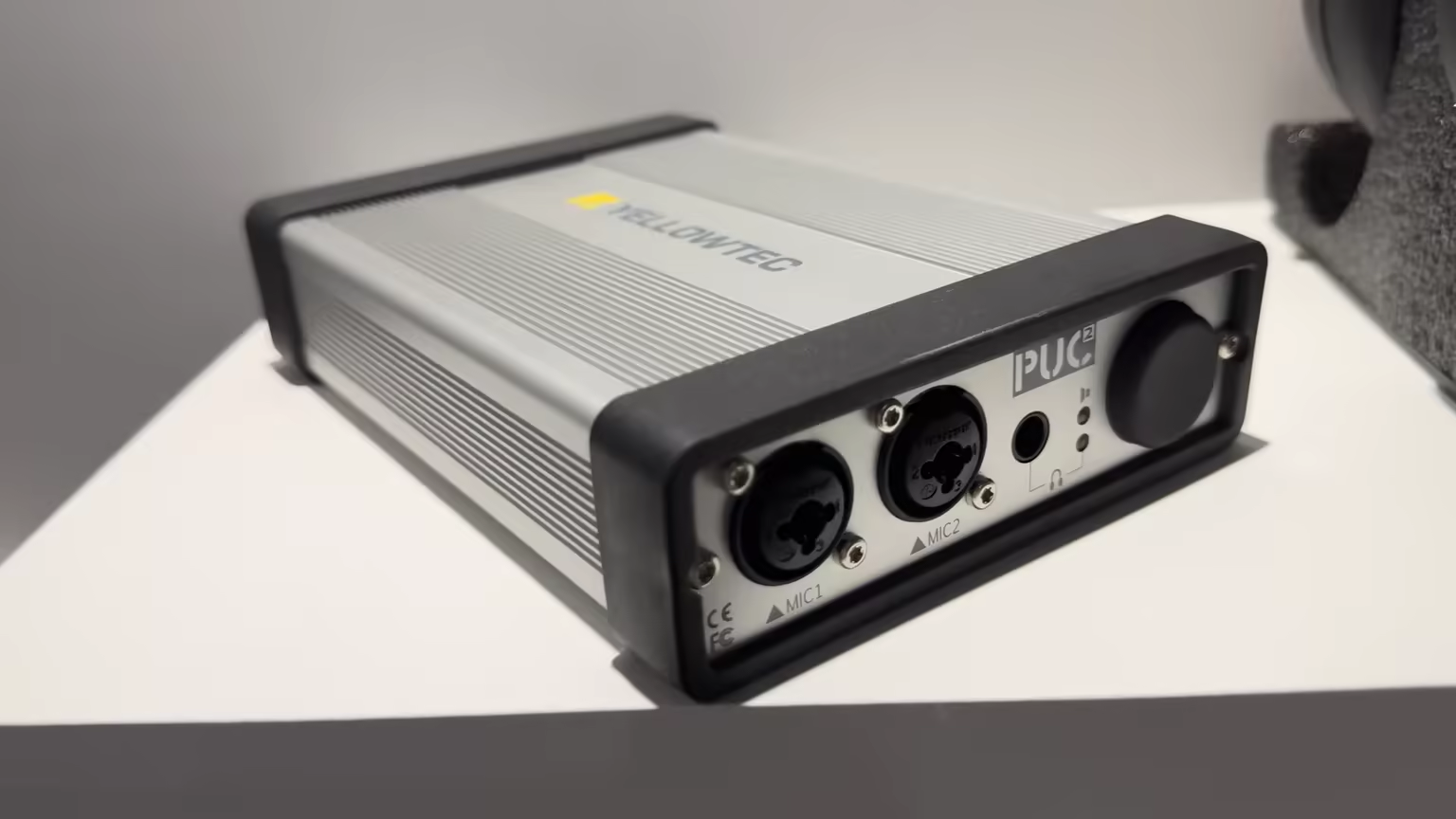 (view larger)
Two rubber elements, one on the front and one on the back, are making for very good-looking feet that prevent the device from sliding on the desk. The unit gets a little warm after some time, but its case can dissipate it with no problem, and it doesn't get overly hot.
Inputs and Outputs: Dual Combo XLR, AES Digital, and ZLM
They are all located on the front and the back. Let's start with the front ones.
There are two combo XLR plus 1/4-inch jacks for microphones. Next to it, there's a headphone output for direct, latency-free monitoring purposes. And finally, a volume knob that also serves as an output switch, between line outs and studio headphones. Quite clever.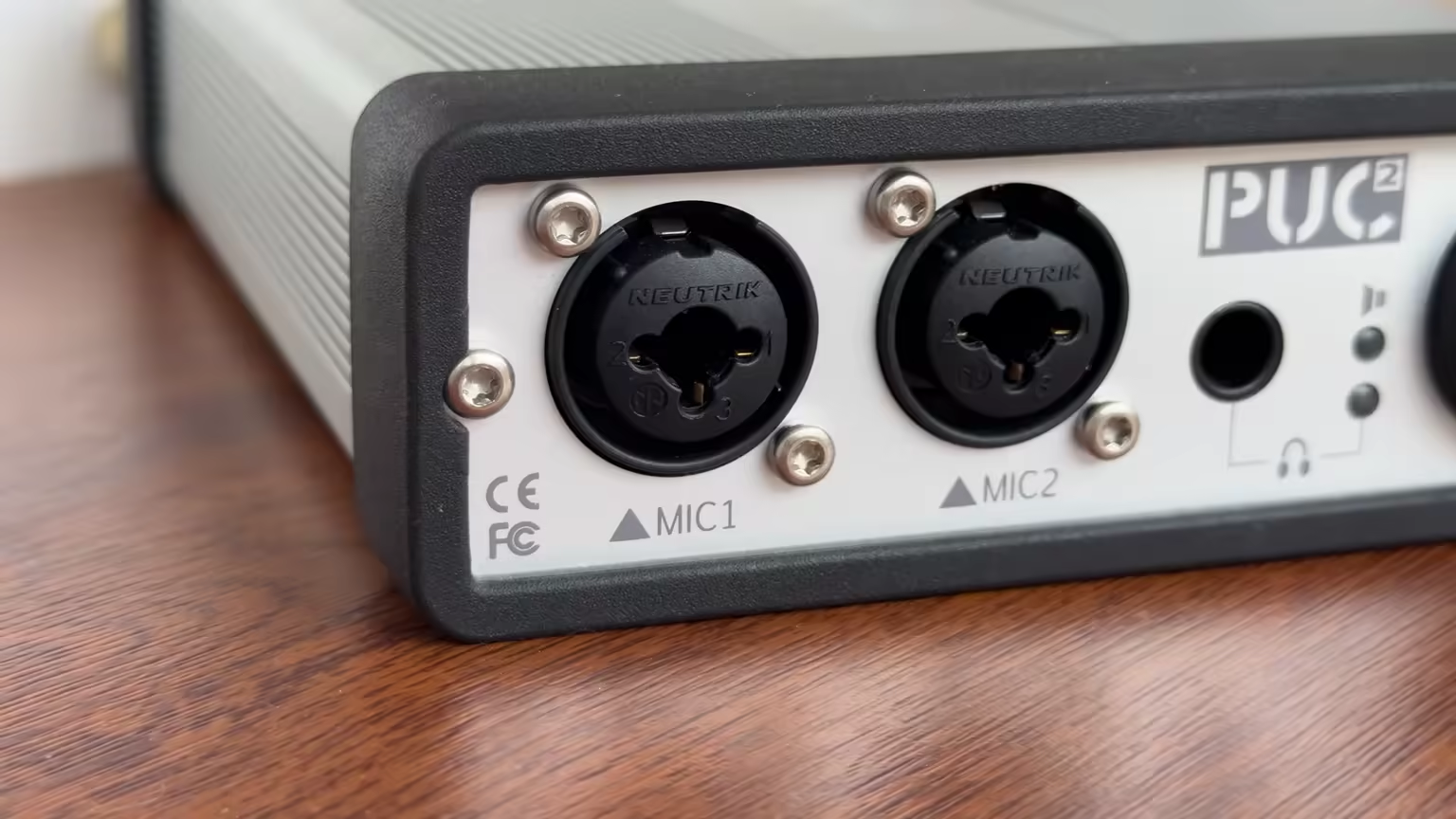 (view larger)
Moving to the back, there's even more. Starting from the professional digital AES input and output, ZLM Jack - which routes the input signal directly to the output - and a 3.5mm AUX output. It can be used to drive a set of headphones but with no volume control. Finally, USB can be used to connect it to any computer, and a DC power barrel, which in this case is required for the interface to work.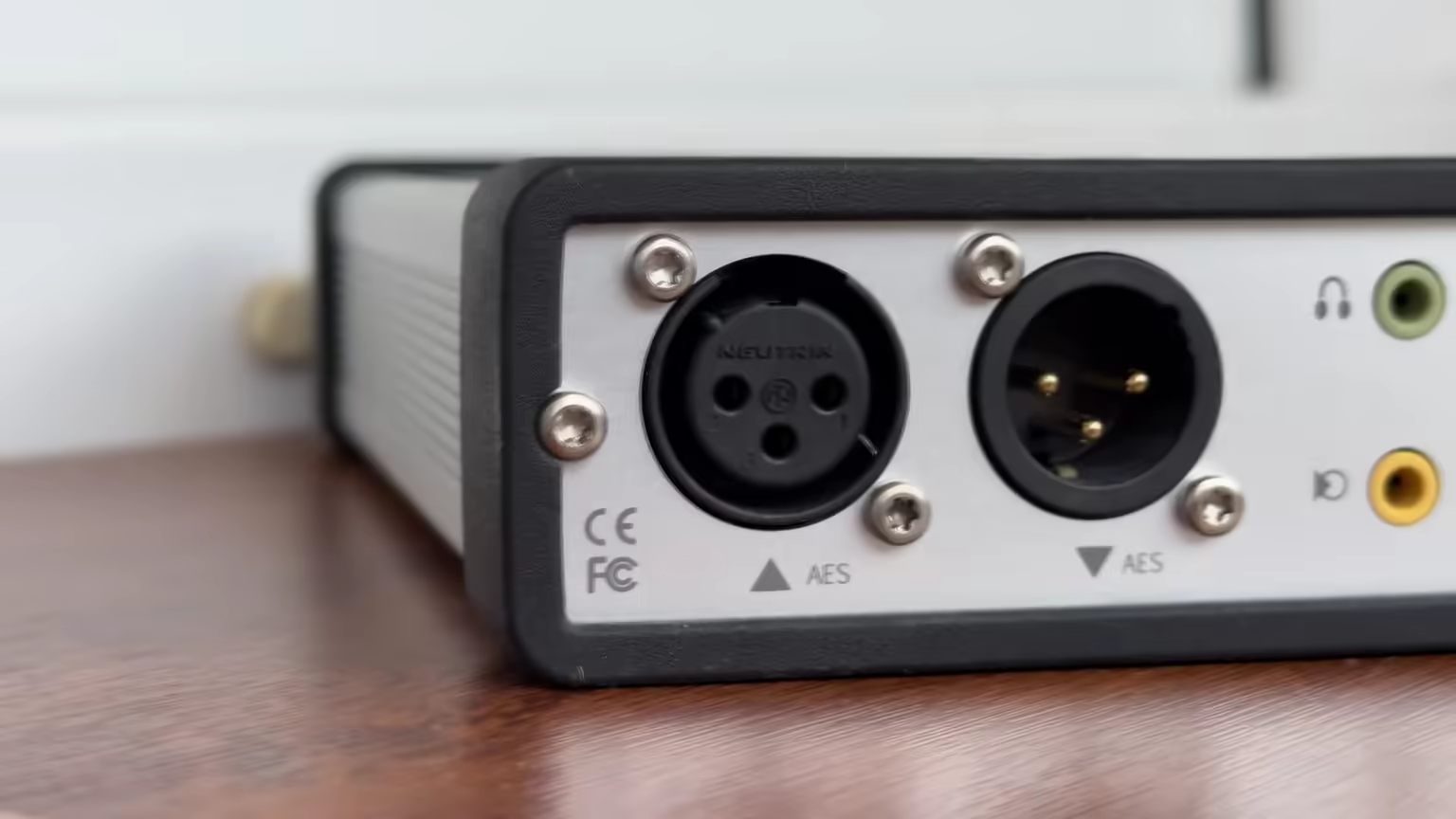 (view larger)
Technical Specifications: 192kHz/24-bit, 114dB, 48V Phantom
This audio interface delivers the highest available audio standards. The sample rate comes at 192kHz at 24-bit. That's very good and it means that you have pretty much all audio formats available to you at all times. It also points in the direction that the digital-to-analog conversion inside is being done by capable chips. And they indeed measure well - with a dynamic range of 114dB, it's likely not going to be a limiting factor in any professional, or even more so home studio.
Unlike Yellowtec's lower-end models, this one has automatic input selection with AES detection. You can use it with condenser microphones, as it provides 48V phantom power, which they need to work.
The mic input's distortion is specified to be 0.05% - a respectable value. For digital conversion, the THD+N reaches -103dB, and for analog conversion, it's even better at -107dB. All these numbers are technically just numbers - what's special about this product is something entirely different.
Features: LEA Auto-Leveling and No Gain Knob
It's plug-and-play, which allows for fast handling by both experienced and beginner users. You can stream two channels of XLR via USB. It has zero latency for your mic signal and zero-latency monitoring of that signal, which makes recording vocals much easier - and when you're recording a voiceover, you won't get confused by the delays.
They developed an ASIO driver for advanced operators, bit-perfect scenarios, and exclusive device use.
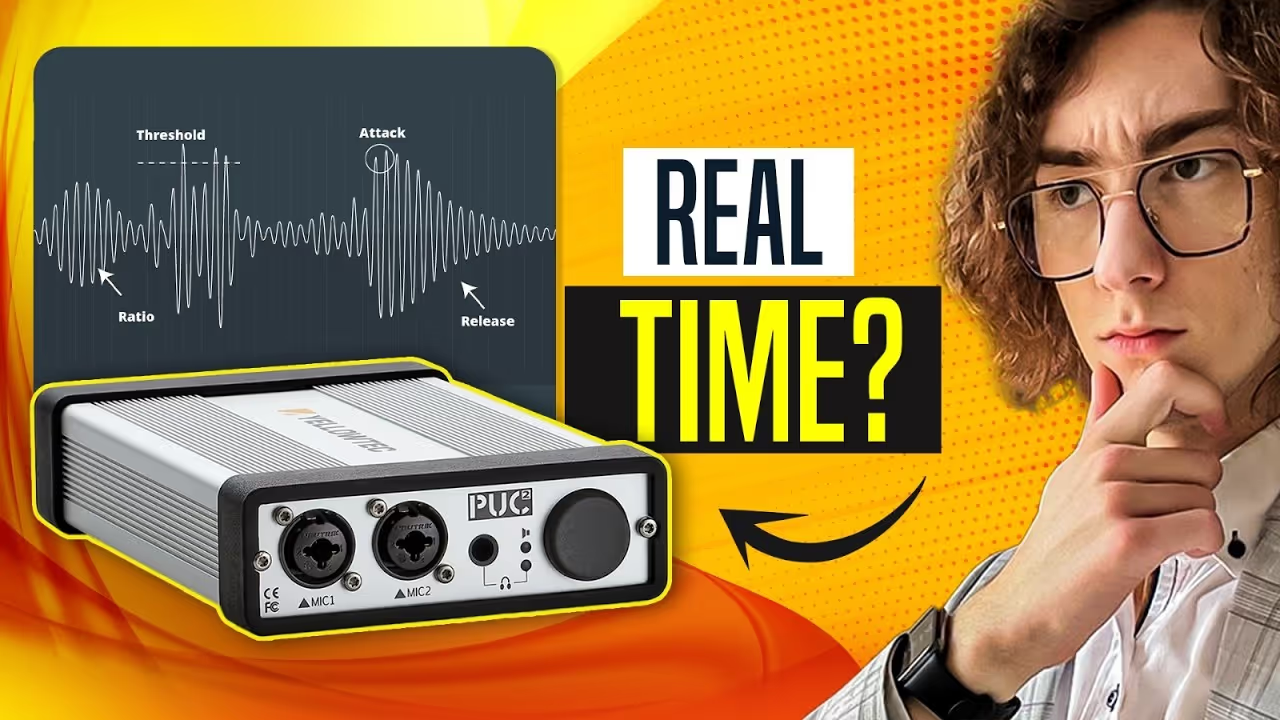
But the most important is the LEA technology. It's all about it - that's why you're getting this specific audio interface. LEA stands for Level Energy Arbitration, and it's a function that's made to keep you from bad leveling in real time. It doesn't require any plugins, setup, or software, but if you decide to download the application, you can tweak its settings. I tried changing some options, however, I ended up going back to the default settings - they're very good, and in most cases shouldn't be messed with.
It's not just a compressor, not even close. Instead, it combines analog and digital techniques to achieve the best results. The goal is to even out the average sound pressure level, yet not increase the noise floor during quiet parts, but also not introduce any artifacts typical of noise gates. Also, it greatly prevents clipping. It's almost impossible to overdrive it in normal conditions, despite being "just" 24-bit, compared to 32-bit float.
You might've noticed that there's no gain knob. Their technology is so good, they don't even feel like there's a need for you to spend any of your time doing it manually.
Sound Quality: Transparent, Slightly Warm, Endlessly Consistent
The preamps are aiming to be fairly transparent, so their goal is not to influence the sound a lot. Yet they have a slight warm tint in my personal opinion, compared to more analytical-sounding interfaces.
What's exceptional about it is the consistency - it always sounds good, and the same. There's no audible distortion or other unpleasant artifacts. The speech clarity is enhanced a little bit, which is ideal for voiceover, podcasting, and live-streaming applications.
The interface contributes almost no background noise. That allows the microphone's true character to shine through more than usual. It generally sounds much better on voices than instruments, but I'm pretty sure that it is precisely what it's designed to do. Its LEA technology ensures it's going to sound as good no matter if the end-user is an experienced audio engineer, or just a beginner hobbyist who wants to experiment with vocal recording.
While it might not be the ultimate choice for every audio scenario, it excels in its target market, and I can't think of a better interface for this specific task.
Sound signature
Derived from the words this review uses: each axis runs between two opposite descriptors, and the shape leans toward whichever side the writing does.
- Warm ↔ Bright Leans warm
- Relaxed ↔ Analytical Leans analytical
- Polite ↔ Aggressive Leans aggressive
- Lean ↔ Bass-heavy Neutral, no clear signal in the review language
- Intimate ↔ Wide stage Neutral, no clear signal in the review language
Hear what "warm, analytical, aggressive" means: a short synthesised loop, flat and then with those leanings. An illustration of the words, not a recording of the PUC2 Mic LEA.
Not sure which signature suits you? Find yours with a blind A/B test
Watch the video review
Subscribe on YouTube (opens in new tab)Prefer to read? The written review above covers everything in the video.
- 0:00 Do You NEED An Audio Interface? (opens in new tab)
- 0:25 Build Quality (Metal Construction, German Neutrik Connectors, Aesthetic Feet, Heat) (opens in new tab)
- 1:04 Inputs / Outputs (XLR & 1/4 Inch Combo Jack, Headphone output, Microphone Inputs, Digital AES, ZLM, 3.5mm Aux) (opens in new tab)
- 1:56 Technical Specification (Audio Formats, Sample Rate, Bit Depth, DAC, ADC, Dynamic Range, AES Detection, 48V Phantom, Distortion) (opens in new tab)
- 3:31 Features (Plug&Play, USB, Zero-latency Monitoring, ASIO Driver, Bit Perfect, LEA - Level Energy Arbitration) (opens in new tab)
- 4:57 Sound Quality (Mic Pre-Amp Transparency, Warmth, Consistency, Artifacts, Speech Clarity, Background Noise) (opens in new tab)
Common questions about the PUC2 Mic LEA
Is the Yellowtec PUC2 Mic LEA worth it?
Yes - 8.6/10, Highly Recommended, higher than 71% of everything we have tested, against a catalogue median of 8.1. On value it rates steep: better value exists in sources, so you are buying performance here, not value. Price: €769 (≈ $830 approx.).
Who should buy the Yellowtec PUC2 Mic LEA, and who should skip it?
Buy it if you want the balance to lean warm, with the top end eased. Skip it if you want every last bit of treble detail, and €769 has to buy value as well as performance.
What else have you tested that is close to the Yellowtec PUC2 Mic LEA?
No matchup page yet, and no close price match in the catalogue either. The nearest things we have scored in the same category: the FIFINE K688 at 7.2/10.
What does LEA actually do?
It keeps your levels right in real time, without plugins, setup or software. LEA stands for Level Energy Arbitration, and it is not a compressor - it combines analogue and digital techniques to even out the average sound pressure level while avoiding the two usual side effects: it does not lift the noise floor during quiet parts, and it does not introduce the artefacts a noise gate would. It also makes clipping almost impossible in normal use, despite the interface being 24-bit rather than 32-bit float.
Why is there no gain knob on the PUC2 Mic LEA?
Because Yellowtec do not think you should be spending your time setting one. LEA handles the levelling automatically and it does it well enough that the knob has no job left. That is the whole proposition of this interface rather than a cost saving. There is a volume knob on the front, and it doubles as an output switch between line outs and studio headphones, which is a clever use of one control.
Should you adjust the LEA settings?
Probably not. You can download the application and tweak them if you want to. I tried changing several options and ended up back on the defaults - they are very good and in most cases should not be messed with. That is worth saying plainly, because the instinct with a new piece of gear is to go looking for the settings, and here the settings are the one thing that will not improve your result.
Is the PUC2 Mic LEA better for voice than instruments?
Yes, clearly, and I am fairly sure that is exactly what it was designed for. Speech clarity is enhanced a little, which suits voiceover, podcasting and live streaming. The preamps aim for transparency and to my ear carry a slight warm tint compared with more analytical interfaces. It contributes almost no background noise, which lets the microphone's own character come through more than usual. For instrument capture there are better-suited choices.
Does the PUC2 Mic LEA need a power adapter?
Yes - there is a DC barrel on the back and the interface will not run on USB bus power. That is a real consideration if you wanted a bag-friendly, single-cable setup. In exchange you get an all-aluminium chassis made in Germany with no plastic anywhere except the connector housings, which are mostly high-quality Neutrik. It does get a little warm over a long session, and the case dissipates it without ever becoming hot.
What is the PUC2 Mic LEA's strongest quality?
Consistency. It always sounds good, and it always sounds the same - no audible distortion, no unpleasant artefacts, no session where the levels got away from you. That is what LEA buys, and it means the result is the same whether the person recording is an experienced engineer or a beginner experimenting with vocals for the first time. For its target job I cannot think of a better interface.
If you're interested in this
All 6 sources reviewsClosest alternatives